
OCR Software
for CA Firms in India
Handle more clients without hiring more staff. AccuRaik automates invoice extraction, bank statement conversion, and Tally entry — so your team focuses on advisory, not data entry.
Why is AccuRaik built for Indian CA firms? AccuRaik features multi-client workspace separation, enabling CA practices to organize 20+ clients independently. It processes high-volume invoice batches, extracts 15+ GST line items with high accuracy, performs duplicate invoice checks, maps vendor names to existing Tally ledgers, and generates XML vouchers that import into Tally Prime without custom TDL scripts.
The CA Firm Data Entry Problem
CA firms manage dozens of clients — each with hundreds of invoices and bank statements every month
Multiple Clients, Multiplied Work
A CA firm with 20 clients, each sending 200 invoices/month = 4,000 invoices to manually enter in Tally every month.
Month-End Crunch
Tax filing deadlines create a massive backlog. Clerks work overtime just on data entry — not analysis or advisory.
Human Errors Cost Clients
A single wrong GST figure can mean a notice from the tax department. Manual entry creates unacceptable risk.
Process All Clients in Batch
Upload all client invoice folders at once. AccuRaik processes each client's documents separately and keeps data organized by client.
Month-End Done in Hours
What used to take a week of overtime now takes a few hours. Your team reviews, approves, and exports — not types.
GST-Accurate Every Time
AI extraction with human review achieves high accuracy. Zero wrong tax figures, zero compliance headaches.
AccuRaik Features Built for CA Firms
Every feature is designed around how CA firms actually work — multi-client, high-volume, deadline-driven.
Client-wise Organization
Separate workspaces for each client. Upload, process, and export data per client independently.
Bulk Invoice Processing
Process hundreds of invoices for a single client in minutes, not days.
Bank Statement Automation
Convert all client bank PDFs to structured Excel or Tally data instantly.
Tally XML Generation
Auto-generate import-ready XML for Tally ERP 9 and Tally Prime.
ROI Calculator
How Much Does Manual Entry Cost You?
The Definitive Guide to Scaling a CA Practice with AI
For decades, the growth of a Chartered Accountancy firm in India has been strictly linear: to handle more clients, you must hire more article clerks or junior accountants. However, with the advent of AI and OCR technology, CA firms can now decouple headcount from client growth.
1. The GSTR-2B Reconciliation Bottleneck
Every month, CA firms face the massive task of reconciling client purchase registers (in Tally) against the GSTR-2B statement available on the GST portal. If a vendor's invoice is missing from the books, or if the GST amount was typed incorrectly by an article clerk, the Input Tax Credit (ITC) will not match. Fixing these mismatches manually takes days.
By using AccuRaik, the purchase register is generated programmatically from the source PDFs. The AI extracts the exact vendor GSTIN, taxable value, and IGST/CGST breakdown, ensuring that the Tally data matches the GSTR-2B perfectly, eliminating manual reconciliation headaches.
2. Transforming Article Clerks into Analysts
The Old Way
Article clerks spend 80% of their time typing data into Tally and 20% analyzing it. This leads to burnout, high error rates, and limits their professional development.
The AI Way
Clerks upload a batch of 500 invoices. The AI extracts the data. The clerk spends 10% of their time reviewing the flagged anomalies, leaving 90% for auditing, compliance, and client advisory.
3. Processing Bank Statements Instantly
Beyond invoices, converting PDF bank statements into Excel or Tally XML is notoriously difficult because every Indian bank has a different format. AccuRaik's AI understands the layouts of HDFC, ICICI, SBI, Axis, and dozens of other cooperative banks, instantly mapping dates, narratives, withdrawals, and deposits into a clean Tally Bank Receipt/Payment voucher.
FAQs for CA Firms
How does AccuRaik handle multiple clients for a CA firm?
Is AccuRaik better than manual data entry by article clerks?
Does AccuRaik support bulk invoice uploads?
Can AccuRaik extract GSTINs and tax amounts accurately?
Does it export data directly to Tally ERP 9 and Tally Prime?
Can it handle Indian bank statements in PDF format?
How secure is my clients' financial data?
Do you charge per user or per invoice?
What happens if the AI cannot read a poorly scanned invoice?
Can AccuRaik map vendor names to my existing Tally ledgers?
Does AccuRaik detect duplicate invoices submitted by clients?
How much time does a CA firm typically save using AccuRaik?
Is there an on-premise version available?
Can my clients upload invoices directly to AccuRaik?
What happens if Tally updates its XML format?
Grow Your CA Practice Without Growing Your Team
AccuRaik handles the data entry. You handle the clients. Request Demo for early access.
Request DemoLatest on AI Accounting
Insights, guides, and news from the AccuRaik team.
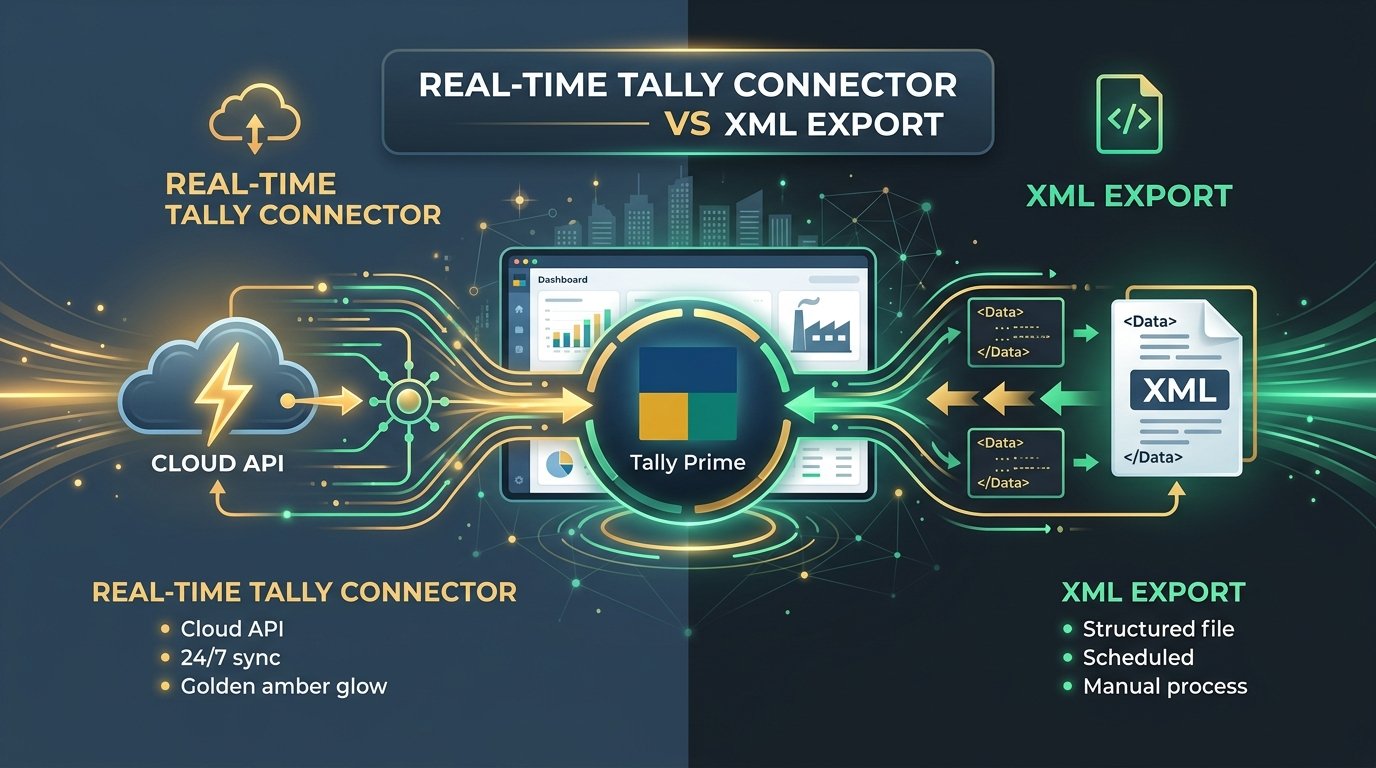
Tally Connector vs XML Export: Which One Should Your CA Firm Actually Use? (2026)
Real-time Tally Connector or XML export — which fits your workflow? A practical comparison for CA firms and SMBs choosing between direct API sync and XML import for Tally Prime.

How Tally XML Import Works: A Technical Guide for CA Firms
A deep dive into automating your Tally data ingestion using XML vouchers, and why generic OCR tools often fail.

OCR vs Manual Data Entry: A Cost Analysis for Indian Accounting
A breakdown of the true cost of manual data entry in CA firms, and the financial impact of adopting AI invoice processing.