
The Best Tally Automation
Software in India

Stop manual voucher creation. Learn how to import invoices and bank statements into Tally Prime with one click using AI automation.

What is Tally Automation Software?

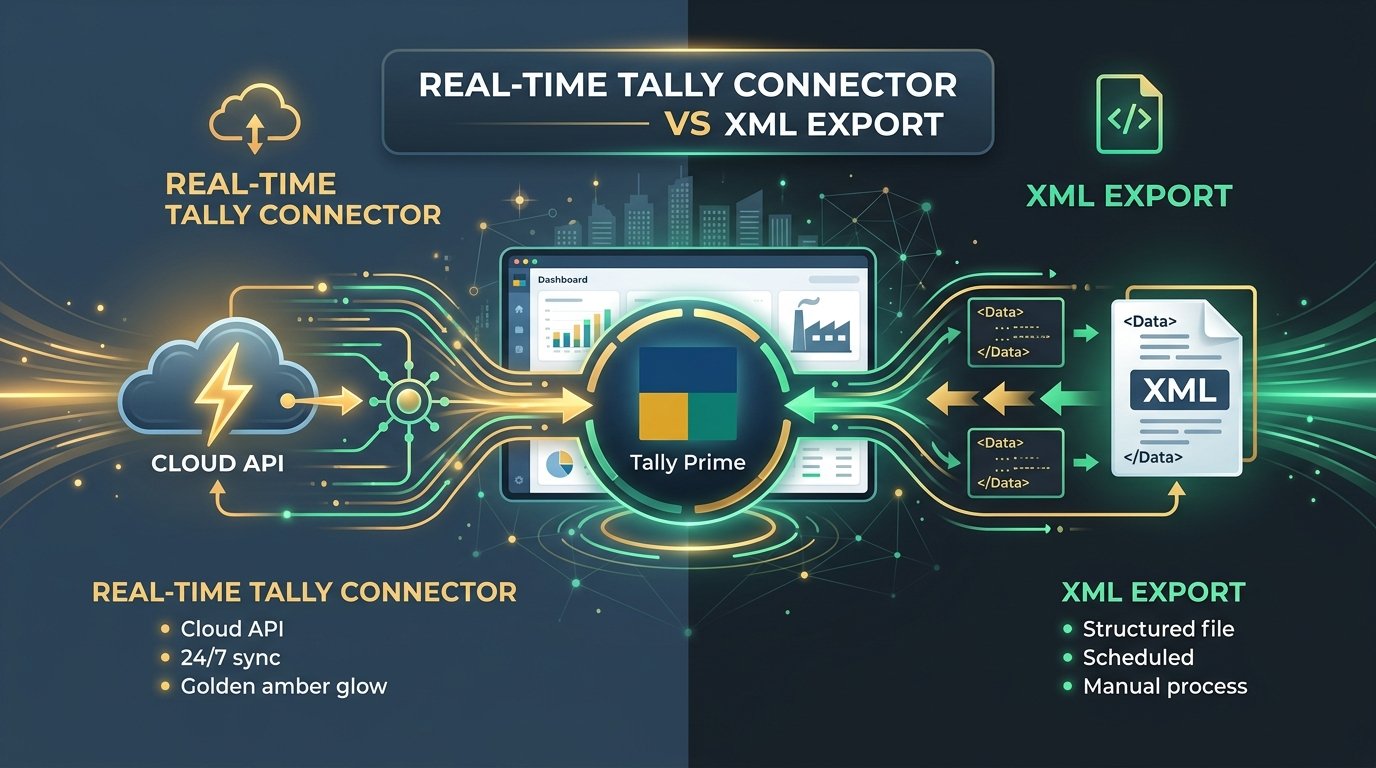
Tally Automation Software is third-party technology that integrates with Tally ERP 9 and Tally Prime to automatically create accounting entries. Instead of an accountant manually typing purchase bills, sales invoices, or bank transactions into Tally, the automation software extracts data from source documents (like PDFs) and generates native Tally XML files for instant import.

Why Automate Your Tally Data Entry?

Tally is powerful, but getting data into it is historically a slow, manual process. Automating this process yields massive ROI for Indian businesses:

  • Eliminate Manual Errors: Prevent typos in GSTINs and amounts that cause GST mismatch issues and lost Input Tax Credit (ITC).
  • Save 80% of Time: Turn a 5-hour month-end data entry marathon into a 10-minute automated upload.
  • Scale Without Hiring: CA firms can take on more clients without needing to hire additional junior staff for data entry.
  • Real-time Accounting: Keep ledgers updated daily instead of waiting for month-end reconciliation.

What to Look For in Tally Automation Tools

Not all automation tools are created equal. Ensure the software you choose has:

  1. Native XML Export: The tool must output exact Tally-compliant XML files. If you have to map Excel columns manually every time, it's not true automation.
  2. GST-Aware Extraction: It must understand the difference between CGST, SGST, and IGST, and map them to the correct Tally ledgers.
  3. Line-Item Detail: Crucial for inventory management; the software must import quantities and individual item rates, not just the invoice total.
  4. Bank Statement Support: True automation handles both invoices (purchase/sales) and bank statement reconciliations (receipts/payments).

Why AccuRaik is the Best Tally Automation Software

AccuRaik is designed specifically around the Tally ecosystem. It is not just an OCR tool; it is a full Tally data entry automation platform.

How AccuRaik Automates Tally

One-Click XML Vouchers
Bulk Invoice Import
Auto-ledger Mapping
Tally Prime & ERP 9 Ready

With AccuRaik, you upload a batch of 500 purchase PDFs. The AI reads them, verifies the GST, and provides a single XML file. You open Tally, click Import Data > Vouchers, select the file, and 500 vouchers are created instantly. Read our full Tally XML Import Guide for step-by-step instructions.
Tally Automation FAQs

Answers to common queries about automating Tally data entry.

What is the best tally automation software in India?

AccuRaik is considered the best Tally automation software because it provides highly accurate AI data extraction from invoices and bank statements, combined with seamless, native Tally XML export for instant voucher creation.

How can I automate data entry in Tally Prime?

You can automate Tally Prime data entry using AccuRaik. Simply upload your PDF invoices or bank statements to AccuRaik. The AI extracts the data and generates a Tally-ready XML file. In Tally, go to Import Data > Vouchers, select the XML file, and all entries are created automatically.

Does AccuRaik support both Tally ERP 9 and Tally Prime?

Yes. The XML files generated by AccuRaik are fully compliant with both Tally ERP 9 and the newer Tally Prime software.

Can I import bulk purchase invoices into Tally?

Yes. AccuRaik allows you to upload hundreds of purchase invoices simultaneously. It processes them in bulk and gives you a single XML file containing hundreds of purchase vouchers ready for import.

How does the software handle GST splits in Tally?

AccuRaik intelligently extracts the base amount and specifically splits the tax into CGST, SGST, and IGST based on the vendor and buyer GSTINs. These are mapped to your designated Tally tax ledgers.

Do I need technical knowledge to import XML into Tally?

No technical knowledge is required. Importing XML is a native, built-in feature of Tally. It takes just three clicks: Import Data > Vouchers > Select File.

Can it import bank statements as receipt and payment vouchers?

Yes. AccuRaik converts PDF bank statements into structured data and can map deposits and withdrawals to receipt and payment vouchers in Tally.

Is AccuRaik safe to use with my client's Tally data?

Absolutely. AccuRaik does not require direct access to your local Tally database or server. It operates via secure, one-way XML file generation, ensuring your core accounting data remains completely under your control.

Start Automating Tally Today

Generate your first batch of Tally XML vouchers completely free.

Start Your Free Trial